
SalesReady allows admins to configure various user interfaces anywhere in Salesforce. In the Settings subtab there is the ability to configure the below settings for any object.
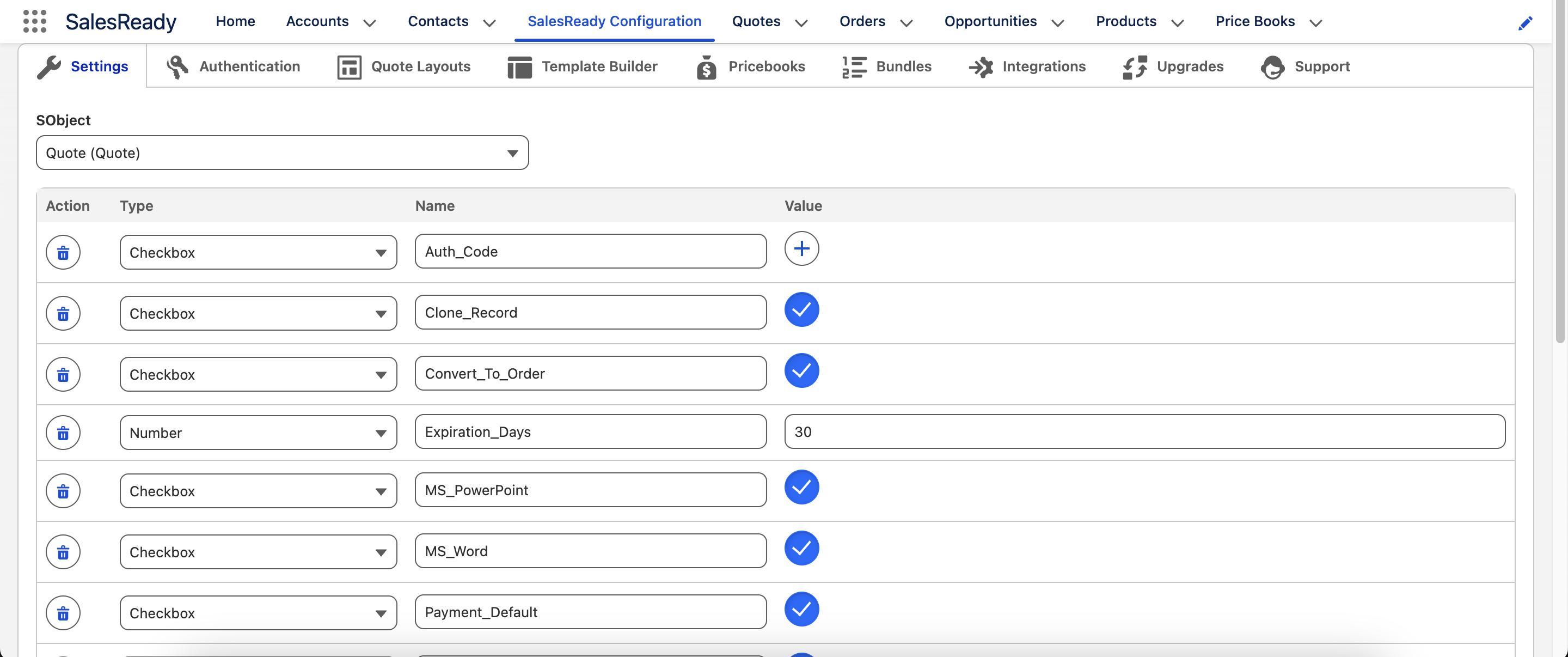
Choose from the following settings
|
Name |
Type |
Description |
|---|---|---|
|
Auth_Code |
Checkbox |
Defaulting recipient to authenticate with code sent via email. |
|
Clone_Record |
Checkbox |
Allow for clone button to appear in the quote builder. |
|
Convert_To_Order |
Checkbox |
Allow for convert to order button to appear in the quote builder. Only applicable to Opportunities or Quotes. |
|
Document_Link_Label |
Text |
HTML link text when customer clicks to open a transaction via email. Only applicable when using the |
|
Document_Sender |
Text |
If blank, then running user sends transaction. If not blank, then use applicable org wide email address. |
|
Expiration_Days |
Number |
Defaulting number of days from |
|
Hide_Grouped_Rows |
Checkbox |
Legacy setting. No longer applicable. |
|
MS_PowerPoint |
Checkbox |
Allow users to output document to |
|
MS_Word |
Checkbox |
Allow users to output document to |
|
Payment_Default |
Checkbox |
Default to checking the box for sending the transaction with a payment attached. Please see Integrations for payment integration options. |
|
Payment_Integration |
Text |
Enabling payments with the applicable provider when sending the transaction. Options include |
|
Product_Search_Count |
Number |
When the product picker loads, how many records should show in alphabetical order during initial load only. |
|
Product_Search_Field |
Text |
When the product picker loads, field that by default is used for searching products. |
|
Product_Search_Field_Required |
Checkbox |
Require a search term when searching for products instead of allowing all products to load. |
|
Recipient |
Text |
The default recipient field to query based on the running object. |
|
Recipient_Type |
Text |
If Recipient exists, |
|
Send_Document |
Checkbox |
Allow for running user to generate document or send transaction. |
|
Send_Quote_Generate_Tab_First |
Checkbox |
Default to opening the generate document tab first instead of sending a transaction. |
|
Send_Static_File |
Checkbox |
Defaulting if the document should be sent as an attachment in the email instead of a link. |
|
Signed_Document_Sender |
Text |
The org wide email address for sending the signed document after transaction is completed. |
|
Slack_Default |
Checkbox |
Default to checking the box for sending the transaction with Slack messaging enabled. |
|
Slack_Integration |
Checkbox |
Enabling Slack when sending the transaction. |
|
Tax_Calculations |
Checkbox |
Enable the Calculate Tax button within the quote builder. Please see Integrations for integrating with Anrok. |