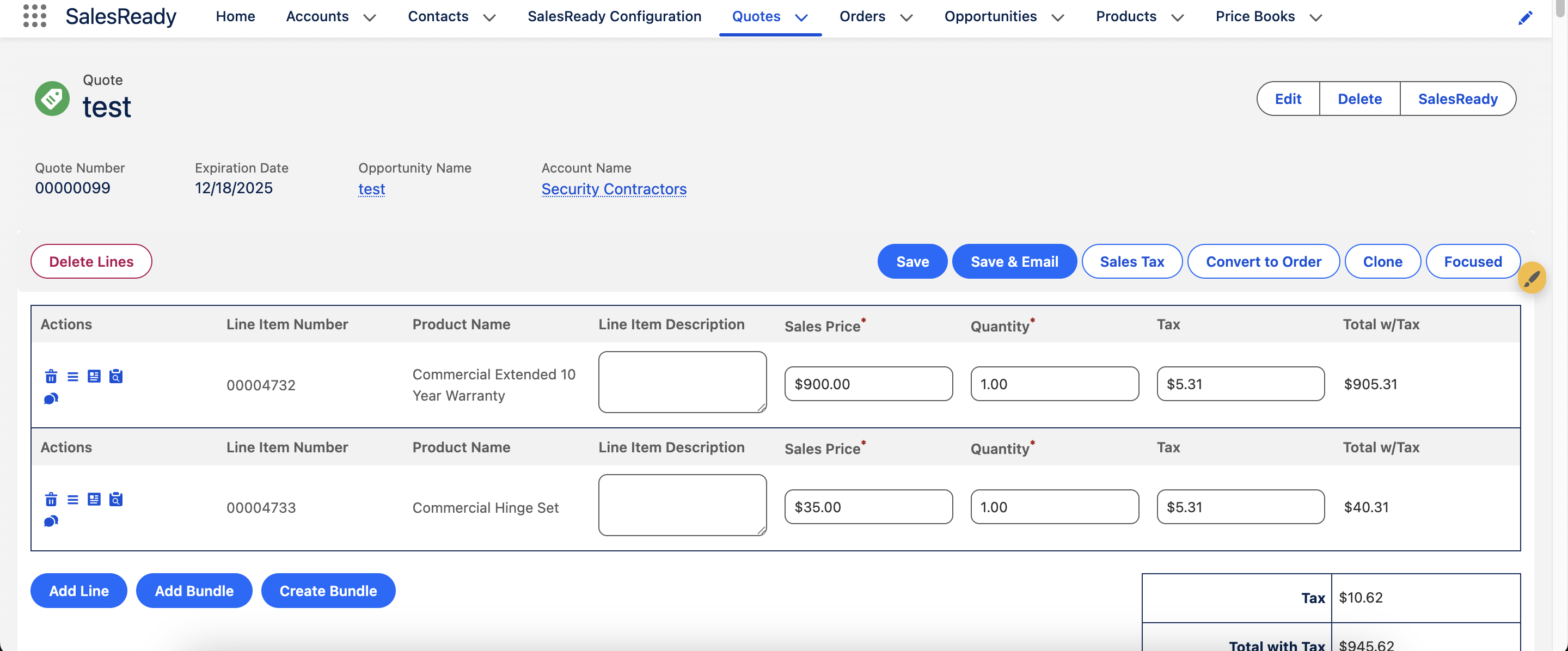
The quote builder can be embedded into the following Lightning Record Page objects:
-
Quote (Quote)
-
Opportunity (Opportunity)
-
Order (Order)
-
Work Order (WorkOrder)
-
Service Contract (ServiceContract)
-
CPQ Quote (SBQQ__Quote__c)
-
Billing Invoice (blng__Invoice__c)
-
Invoice (Invoice)
The quote builder is the foundation of quoting and/or invoicing for SalesReady users. While it is a simple and powerful component that can be dropped onto these pages, it is not a requirement. There are many other use cases for SalesReady. Please continue with this configuration if you want an enhanced quoting and/or invoicing experience for your users.
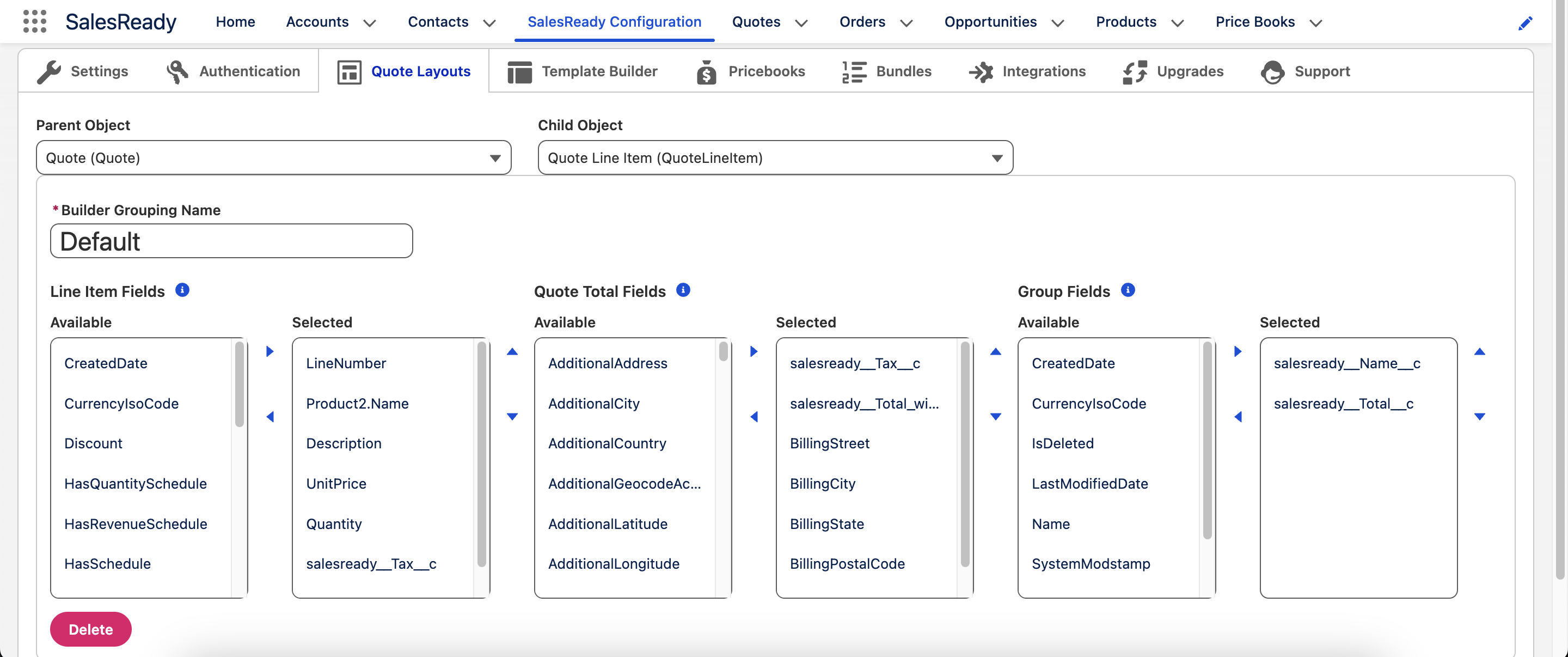
Pick your parent and child objects
Select the object where you want to embed the quote builder, as well as the object that houses your line items.
Name your builder grouping
The quote builder can be configured to adhere to rules defined in the Lightning Record Page. For example, you can have a “Default” view when the Quote status is anything except Rejected, and then another view when it is Rejected. Continue to see examples.
Add your own standard and/or custom fields
-
Line Items Fields - These are your fields at the
childobject level that you chose. -
Quote Total Fields - These are your fields at the
parentobject level that you chose. -
Group Fields - These are fields that come with the salesready__Group__c object. You can add your own fields if applicable.
-
Even if you do not use groups it is recommended to add
salesready__Nameandsalesready__Total__cas selected fields.
-
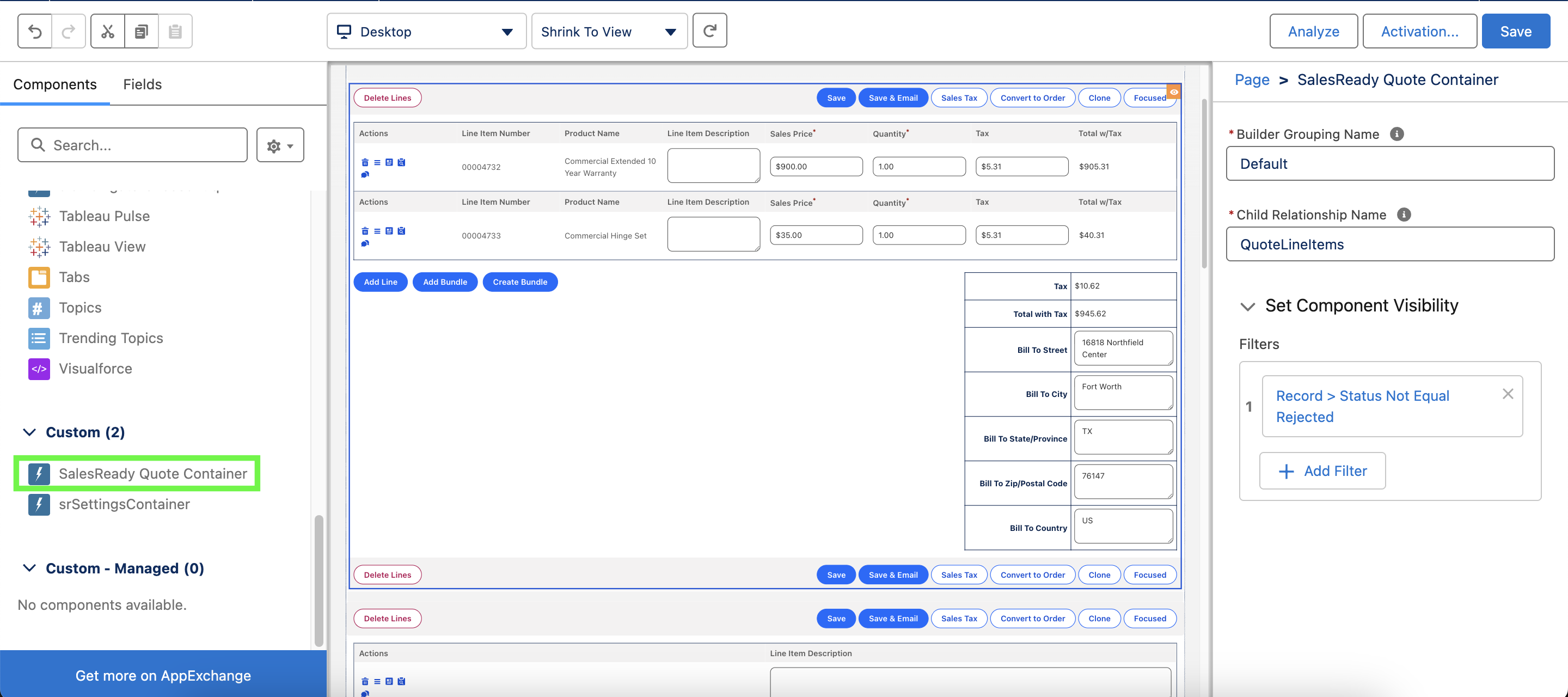
Add the container to the Lightning Record page
-
Set the Builder Grouping Name to as the name you set above.
-
Add your own logic for when this view should be visible.
-
-
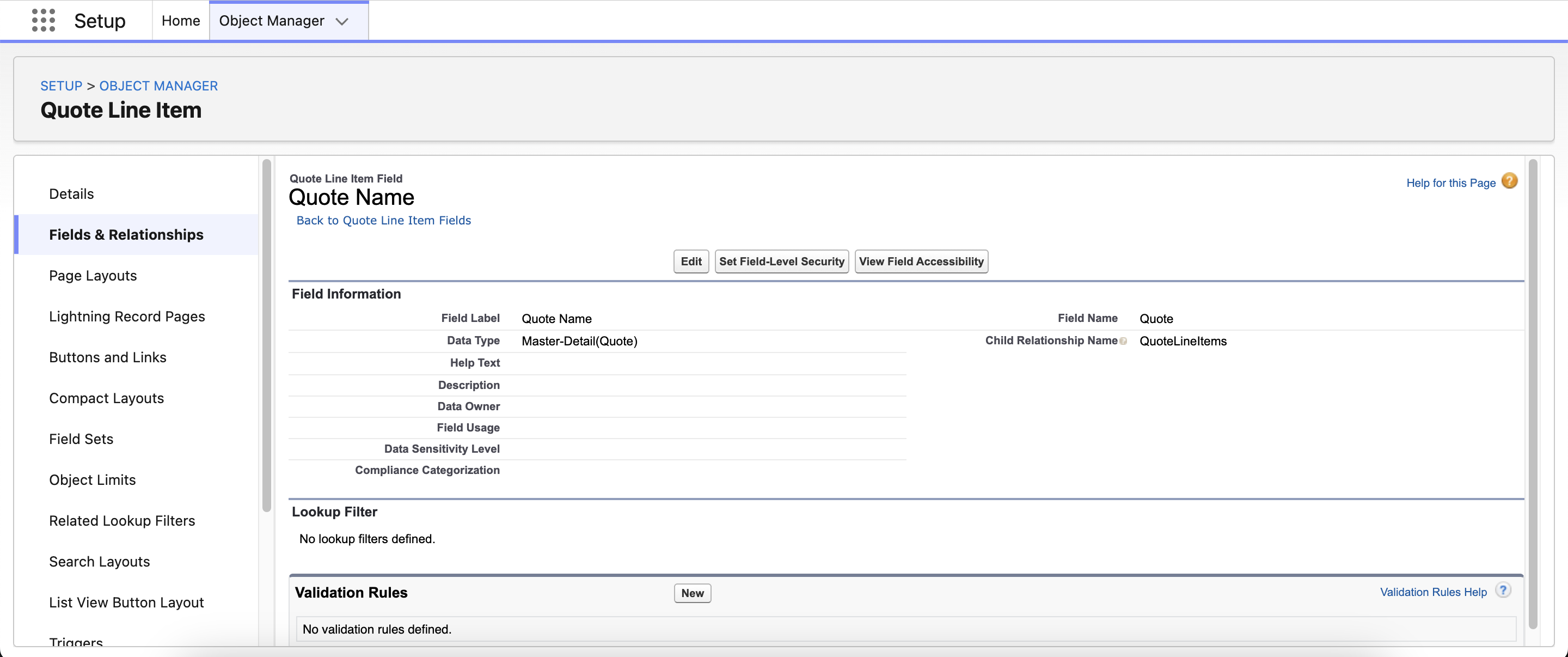
Confirm the Child Relationship Name.
-
You can find this by going to the child object (e.g. Quote Line item), picking the parent field, and look for the Child Relationship Name value.
-
Confirm the quote builder is live
You will see the following look and feel directly within the record: